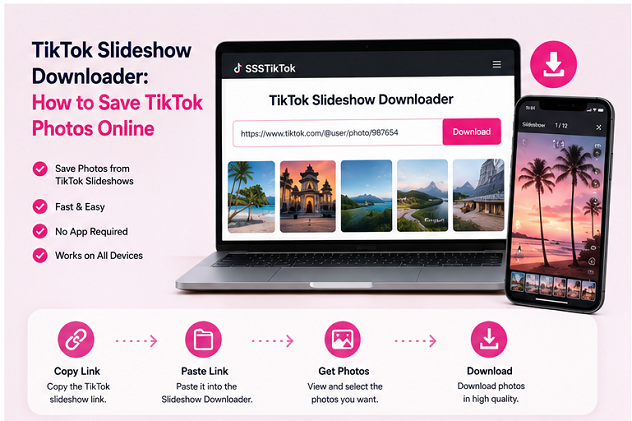
TikTok is widely known for short videos, but photo slideshows have become an equally useful format for creators who want to tell stories through images.
A single TikTok slideshow can contain travel photos, product images, quotes, tutorials, outfit inspiration, recipes, or before-and-after comparisons.
If you want to save photos from your own slideshow or another public post that you have permission to use, an online TikTok slideshow downloader can make the process more convenient.
What Does a TikTok Slideshow Downloader Do?
A TikTok slideshow downloader is designed to process a public TikTok link that contains Photo Mode or slideshow content.
Unlike a normal video downloader, which primarily returns an MP4 file, a slideshow tool may identify the individual photos associated with the post.
This allows users to save the images separately.
It is especially convenient when a slideshow contains many photos and taking screenshots one at a time would be inefficient.
How to Copy a TikTok Slideshow URL
Open TikTok and navigate to the slideshow you want to save.
Tap the Share icon.
Choose Copy Link.
The URL can then be pasted into a compatible TikTok Slideshow Downloader.
For publicly accessible content, the tool processes the link and displays the available download choices.
No manual copying of individual photo URLs is normally necessary.
Why Download Photos Instead of Taking Screenshots?
Screenshots can be useful for quick reference, but they have several disadvantages.
TikTok’s user interface may remain visible in the image. Buttons, usernames, captions, and other elements can cover parts of the photo.
A screenshot also captures what your screen displays rather than necessarily preserving the best available source image.
Downloading the supported photo file usually produces a cleaner result.
Saving Individual Photos
A slideshow may contain only a few images or a much larger collection.
Some users want every photo, while others only need a particular image.
When individual download options are available, choose only the photos you actually need.
After downloading, organize them into a folder so they are easier to identify later.
Creators archiving their own posts may also want to use filenames or folders based on the publishing date or campaign.
Using TikTok Photos as Inspiration
Visual platforms constantly influence one another.
A photo style discovered on TikTok may inspire a Pinterest board, Instagram post, graphic design, or personal mood board.
Saving a public photo for private inspiration is very different from republishing it.
If you want to post someone else’s image on another platform, obtain permission and provide appropriate credit.
Pinterest and TikTok Serve Different Purposes
Pinterest is often used for long-term visual discovery and organization, while TikTok is built around a rapidly changing recommendation feed.
Because of that difference, users may discover an idea on TikTok and want to organize a reference related to it elsewhere.
Creators managing their own content may also adapt the same visual assets for several platforms.
The key is to begin with media you have the right to use.
Keep the Original File
If you download your own TikTok slideshow images, keep the best-quality files as a backup.
Do not repeatedly resize and compress the same image before storing it.
Instead, preserve one original copy and create separate optimized versions for social media, websites, or messaging applications.
This makes it easier to return to the source file when you need a different size later.
Can TikTok Slideshow Audio Be Downloaded Too?
TikTok slideshows can include music or sounds even though the visual content consists of photos.
Audio and image extraction are separate functions.
If you only need the photos, use the image options provided by the slideshow downloader.
For audio, a compatible TikTok audio or MP3 tool may provide a separate option when the public content is supported.
Does It Work on Mobile?
Because many online downloaders run through a browser, they can generally be used on multiple types of devices.
Android users can access them through mobile browsers such as Chrome, while iPhone and iPad users can use Safari.
Desktop browsers on Windows, macOS, and Linux can also be used.
The exact saving process may vary slightly depending on the browser and operating system.
Browser-based services such as SSSTikTok can be accessed without installing dedicated desktop software.
Use Downloaded Photos Responsibly
A public URL does not mean that the content is copyright-free.
Creators still retain rights to their original photography, artwork, designs, and other creative material.
Use download tools for your own content, personal reference, backups, or material that you are authorized to save and reuse.
Conclusion
TikTok slideshow posts offer a simple way for creators to share multiple photos in one piece of content.
When users need a clean copy of supported public images, an online slideshow downloader can be more convenient than taking screenshots from the TikTok interface.
By copying the slideshow link, processing it online, and selecting the photos you need, you can preserve the available images while maintaining better quality and a more organized workflow.